- Shop No. 09 Building 16, Avenue G, Rustomjee Gobal City Virar West, Maharashta 401303.
- Mon - Sat 9.00 - 20.00
- +91 91755 64479 / +91 91757 84479

Website design & Development
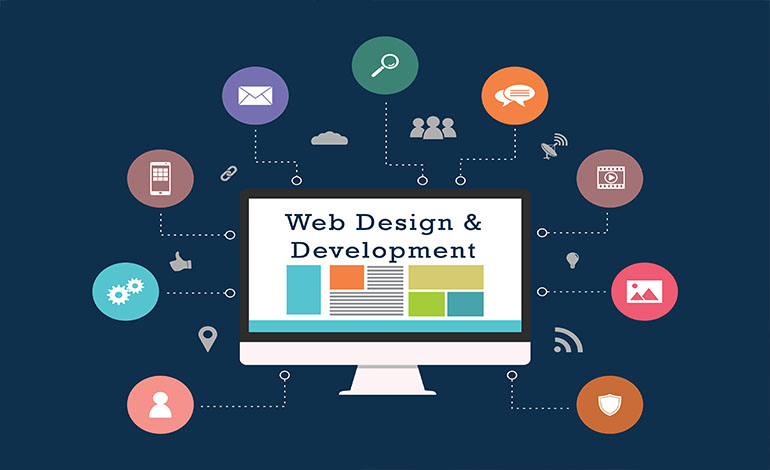

PMD Advertising Website design & Development
Designing and developing a website with PMD advertising service involves several key steps to ensure it effectively supports your advertising goals and offers a great user experience. Here’s a step-by-step guide to help you through the process:
1. Define Your Objectives
PMD Identify Goals: Determine what you want your website to achieve (e.g., attract advertisers, provide information on ad services, offer tools for managing campaigns).
Target Audience: Understand who your audience is and what they need from your website.
2. PMD Plan Your Website
Site Map: Create a site map outlining the main pages and sections of your website, such as Home, Services, About Us, Contact, Blog, and Dashboard.
Wireframes: Develop wireframes or mockups for key pages to outline the layout and structure.
3. PMD Design the Website
Branding: Incorporate your branding elements (logo, color scheme, typography) to maintain consistency and create a professional look.
User Interface (UI): Design an intuitive and user-friendly interface. Focus on usability and aesthetics.
Responsive Design: Ensure the website is responsive, meaning it adjusts well to different screen sizes (mobile, tablet, desktop).
4. PMD Develop the Website
Choose a Platform: Decide whether to use a content management system (CMS) like WordPress, a website builder like Wix or Squarespace, or custom development with HTML/CSS/JavaScript.
Front-End Development: Build the front end of the website using HTML, CSS, and JavaScript. Ensure the design translates well into functional code.
Back-End Development: If required, develop the back end to handle user registrations, ad management, analytics, and any other dynamic features. This might involve server-side languages like PHP, Python, or Node.js and database management systems like MySQL or MongoDB.
5. Our Integrate Features
Ad Management Tools: Implement tools for creating and managing ad campaigns if applicable. This might include dashboards, analytics, and reporting features.
Contact Forms: Include contact forms or chat features to allow users to reach out for support or inquiries.
Payment Integration: If you’re handling transactions, integrate a secure payment gateway.
6.We"ll Test the Website
Functionality Testing: Ensure all features work as intended. Test forms, links, and interactive elements.
Cross-Browser Testing: Check how the website performs across different web browsers (Chrome, Firefox, Safari, etc.).
Mobile Testing: Test on various devices to ensure mobile responsiveness and usability.
7. Launch the Website
Deployment: Deploy the website to a live server. Ensure your hosting environment is set up and configured correctly.
Monitor Performance: Use analytics tools to track visitor behavior, page performance, and other metrics.
8. Ongoing Maintenance
Update Content: Regularly update your content to keep it relevant and engaging.
Security: Implement security measures and regularly update software to protect against vulnerabilities.
Optimize: Continuously analyze and optimize the website based on performance data and user feedback.
Additional Tips
SEO: Implement SEO best practices to improve search engine visibility.
Accessibility: Ensure your website is accessible to users with disabilities by following accessibility guidelines.
Analytics: Set up tracking tools like Google Analytics to monitor traffic and user interactions.
With these steps, we can create a well-designed and functional website with PMD advertising service that attracts and retains users while effectively supporting your advertising operations.